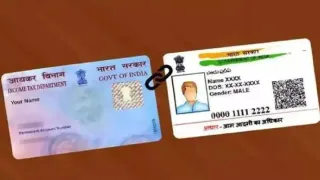
Aadhaar-PAN Linking: It is mandatory for every individual to link their PAN with Aadhaar before December 31. Failure to complete this process within the stipulated time may lead to several difficulties. Let us first understand the problems that may arise if Aadhaar is not linked with PAN.
What Problems Arise If Aadhaar Pan Are Not Linked?
According to information from ClearTax, if a person does not link their PAN with Aadhaar, they may face several problems:
-There may be problems in getting an ITR refund.
-You will face problems in filing ITR returns next year.
-TCS or TDS will be charged at higher rates.
-Difficulty in opening a bank account.
-Difficulty getting a debit or credit card.
-You cannot deposit more than Rs 50,000 in a bank or post office in a day.
-You cannot deposit more than Rs 2,50,000 in a financial year.
-You cannot transact more than Rs 10,000 in any bank.
You can complete this work sitting at home through SMS.
How To Link Through SMS?
For this you have to follow the steps given below:
Step 1- First of all, the customer has to log in from his registered mobile number.
UIDPAN <12 Digit Aadhaar> <10 Digit PAN> message has to be sent.
Step 2- You can send a message to either <567678> or <56161>.
For example, if your Aadhaar number is 987654321012 and PAN number is ABCDE1234F, then you will have to write UIDPAN 987654321012 ABCDE1234F and send a message to either of these two numbers <567678> or <56161>.
If you are facing any problem in linking through SMS, then you can also adopt the method given below.
ALSO READ: Bengaluru Power Cut: BESCOM Announces Two-Day Shutdown; Check Affected Areas, Timings
How To Link Aadhaar And Pan?
You can link your Aadhaar card to your PAN card through income tax e-filing. The steps below will help you easily link your Aadhaar to your PAN card
Step 1- First of all you have to go to the tax e-filing website.
Step 2- Here you have to click on the option of Link Aadhaar.
Step 3- Now enter your Aadhaar and PAN card number.
Step 4- After this enter the registered mobile number.
Step 5- Then click on I agree to validate my Aadhaar details with UIDAI.
Step 6- After this you will get the message Pan Has Been Linked Successfully.