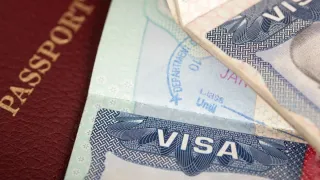
Indian citizens planning to travel to the UAE soon have good news. Abu Dhabi has launched a free visa scheme to attract more Indian tourists. Under this initiative, eligible Indian travellers will not have to pay any fee for a UAE entry visa.
According to the programme announced by Abu Dhabi’s Department of Culture and Tourism, the scheme will be available from August 1 to October 31, 2026.
How Can You Get a Free UAE Visa?
The scheme is available to Indian passport holders who book their trip through online travel agencies recognised by the Abu Dhabi Tourism Department. To qualify, travellers must stay at a hotel in Abu Dhabi for at least three consecutive nights.
In addition, the return ticket must be booked from India. For eligible bookings, Abu Dhabi’s Department of Tourism will cover the entire cost of the UAE entry visa.
It is worth noting that a 30-day UAE tourist visa generally costs around Rs 6,500.
How to Apply for a Passport Online?
The passport application process is largely online. Applicants need to register on the official Passport Seva Portal, fill in their details, pay the applicable fee, and book an appointment at a Passport Seva Kendra (PSK) or Post Office Passport Seva Kendra (POPSK).
Step 1: Register on the Passport Seva Portal
Visit the official Passport Seva Portal (https://www.passportindia.gov.in/psp) and select “New User Registration.” Choose your nearest Regional Passport Office (RPO), enter your basic details, and complete the registration process using the verification link sent to your email.
Step 2: Log In and Start the Application
- After activating your account, log in using your registered login ID, password, and CAPTCHA code.
- Select “Apply for Fresh Passport/Re-issue of Passport” and choose the online application option.
- Enter your personal details, family information, and current address carefully.
- Make sure all the information is accurate before submitting the form, as making changes later may not always be possible.
- Once the application is submitted, the system will generate your Application Reference Number (ARN).
Step 3: Pay the Fee and Book an Appointment
Open your dashboard, go to “View Saved/Submitted Applications,” select your application, and click on “Pay and Schedule Appointment.”
The payment can be made online through:
- UPI
- Net Banking
- Debit Card
- Credit Card
After making the payment, select your preferred Passport Seva Kendra (PSK) or Post Office Passport Seva Kendra (POPSK). Choose an available appointment date and confirm your slot.
ALSO READ: Indians Become Most Deported Foreign Nationals In THIS Country; Hint: It's Not America
After successful payment and appointment booking, applicants will receive an SMS containing the appointment details. Carrying a printed appointment receipt is not mandatory, as the SMS confirmation is accepted at the passport centre.
Documents Required for a Passport Application
Applicants may need to provide the following documents, depending on their circumstances:
- Identity Proof: Aadhaar Card, PAN Card, Voter ID Card
- Proof of Address: Electricity Bill or other accepted address proof
- Proof of Date of Birth: Birth Certificate or other accepted date-of-birth proof