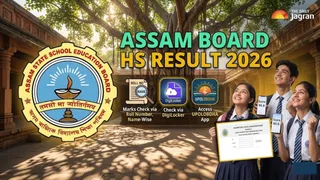
AHSEC HS 12th Result 2026 Name-Wise: The long-awaited moment for over 3.3 lakh students has arrived as the Assam State School Education Board has officially announced the Higher Secondary (HS) Class 12th results today at 10:30 AM. As confirmed by the state education department, the results for Arts, Science, and Commerce streams will be released simultaneously during a press briefing at 10:30 AM. Students who appeared for the exams held between February and March can now head to the official portals, resultsassam.nic.in, asseb.in, and ahsec.assam.gov.in to download their provisional scorecards.
Given the large candidate base, the official websites often face heavy traffic immediately following the announcement. To ensure a seamless experience, the board has integrated multiple digital platforms, including the government’s DigiLocker service and the dedicated UPOLOBDHA mobile application.
These alternatives are designed to handle high user volume, allowing students to check their subject-wise theory and practical marks without the lag typically associated with web browsers on result day.
Also Read: HS Result 2026 Assam Toppers List: Check AHSEC 12th Stream-wise Result, Toppers Name & Marks Here
ASSEB Class 12 Results: How to Access Your Marksheet Online
Whether you are using a desktop or a smartphone, there are several verified ways to retrieve your performance data. Below are the detailed guides for each official method.
1. How to Check via Roll Number & Name-Wise
The primary way to check your result is through the official board portals using your unique credentials.
Step 1: Visit Official Portals: Go to resultsassam.nic.in or ahsec.assam.gov.in.
Step 2: Find Result Link: Click on the "HS Final Year Results 2026" notification.
Step 3: Enter Credentials: Input your Roll Number and Roll Code exactly as printed on your admit card.
Step 4: Name-Wise Search: While the AHSEC board primarily uses roll numbers, some third-party portals may offer name-wise searches. However, students are strongly advised to use official credentials for verified accuracy.
2. How to Check via DigiLocker?
DigiLocker provides a secure, cloud-based platform for accessing your officially issued digital certificates.
1. Log In: Open the DigiLocker app or visit the website and log in using your Aadhaar or mobile number.
2. Search Issuer: Go to the "Education" category and search for "Assam Higher Secondary Education Council (AHSEC)."
3. Select Document: Click on "Class XII Marksheet."
4. Fetch Data: Enter your Roll Number and year (2026) to instantly pull your digital marksheet into your "Issued Documents" section.
3. How to Check via UPOLOBDHA Mobile App?
The UPOLOBDHA app is the board's dedicated mobile solution for instant result retrieval.
1. Download & Install: Get the "UPOLOBDHA" app from the Google Play Store.
2. Select Exam: Open the app and tap on the "HS Result 2026" section on the dashboard.
3. Enter Details: Type in your Roll Number and registration credentials.
4. View Result: Click "Submit" to see your subject-wise grades, total marks, and qualifying status instantly.
Upon downloading your result, carefully verify your name, stream, and marks for both theory and practical components. If you notice any discrepancy in your scorecard, you should immediately contact your school head or the board's regional office for rectification.