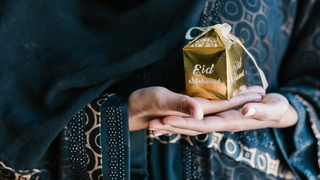
Eid Ul Adha Mubarak Wishes: Eid al-Adha (also called Bakra Eid) is being celebrated in India today (June 17). The Muslim community celebrates the occasion with full enthusiasm and share festive wishes to friends and family. While in-person meetings are among the best mediums to share greetings with your family and friends, online mediums can be a powerful method to extend wishes from far away places.
WhatsApp is among the popular online platforms used widely by people across India and other regions. The Meta platform offers several methods to communicate with people on the platform. While you can send images and textual greetings via personal chats, sharing a dynamic WhatsApp status can be a powerful medium to extend heartfelt wishes to all your contacts on this day.
Eid 2024 WhatsApp Status Video Download, Image Download
A WhatsApp status video or image can used to share information with a range of people in one go. You can download content from websites such as Pexels, Pixabay and Unsplash. Some of these may require a sign-in to download content at maximum resolution.
On the other hand, you can also use platforms such as ShareChat or similar short video websites or video downloader apps to download Eid Mubarak status. In case you are downloading apps, make sure to check the reviews and ratings before installation. Here are a few sample clips and images downloaded from Pexels.
Eid Mubarak WhatsApp Status: How To Upload?
Once you have downloaded your favourite video or wallpaper, you can follow these steps to upload it to WhatsApp as Status.
Step 1: Head to the 'Updates' tab within WhatsApp
Step 2: Tap on the profile photo
Step 3: Tap the Gallery icon at the bottom and look for the downloaded video or wallpaper
Step 4: Tap the green arrow icon to share it with your contacts. You can also customise the audience using the 'Status (Contacts)' option on the left before sharing the status
Note: In the case of a video status, you can adjust the length, insert captions or personalise the content via stickers, text or pencil icons after Step 3. For photos, you can use rotate or crop. Plus, uou can add more media content via the gallery with the tiny '+' icon in the captions bar.