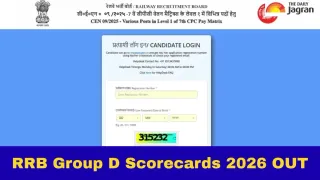
RRB Group D Scorecard 2026: The Railway Recruitment Board (RRB) has released the RRB Group D Scorecard 2026 for candidates who appeared for the Computer-Based Test (CBT) under Employment Notification CEN 09/2025. Candidates can now download their scorecards and view their normalised marks through the official regional websites of the RRB. To access the documents, candidates must enter their registration number and date of birth in the login window.
The link for the scorecard will remain active on the portal until 11:55 PM on December 1, 2026. After this, candidates will no longer be able to download their scorecards, and no requests to reopen the link will be entertained. The examination board had previously released the zone-wise Group D results, along with the cut-off marks, on November 12, 2026.
RRB Group D Scorecard 2026 OUT: Overview
| Events | Details |
| Exam Name | RRB Group D (Level 1) |
| Conducting Body | Railway Recruitment Board |
| Advertisement No. | CEN 09/2025 |
| Total Vacancies | 22,195 |
| Exam Dates | 3rd August to 25th August |
| Category | Scorecard |
| Status | Released |
| Candidates Appeared | 52,39,760 |
| Candidates Qualified for PET | 42,909 |
| RRB Group D Result 2026 | 12th November |
| RRB Group D Scorecard 2026 | 16th November |
| Last date to download Scorecard | 1st December (11:55 PM) |
| Login Details Required | Registration Number and Date of Birth |
| Selection Process |
|
| Official Website | www.rrbcdg.gov.in |
RRB GROUP D CBT Scorecards 2026: How To Check?
Step 1: Visit the official website, rrb.indianrailways.gov.in
Step 2: Now, on the homepage, click on the regional link.
Step 3: Under the regional section, find the link titled RRB Group D CEN 09/2025.
Step 4: Click on the scorecard link.
Step 5: Once the link is clicked, a new login window will appear on the screen.
Step 6: Enter the details such as registration number and date of birth in the designated spaces.
Step 7: Click on the submit button.
Step 8: The RRB Group D scorecard will be displayed on the screen.
Step 9: Download and take a printout of the scorecard for future reference
Direct link here.
Candidates can check their percentile scores and normalised marks by logging in to the portal.