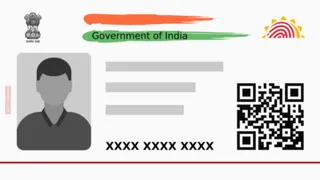
You likely already know the importance of an Aadhaar card and how it simplifies various tasks. However, you are probably also aware of how a single piece of incorrect information on your Aadhaar can lead to significant problems. Many times, important work gets stalled simply because of an Aadhaar verification failure.
From my own experience, back in college, my scholarship was put on hold just because of a spelling mistake in my name on the Aadhaar card. At that time, making changes to an Aadhaar card required a massive struggle. Fortunately, today the process has become much easier. In fact, you can handle these updates yourself from the comfort of your home. You no longer need to get lost in complicated websites; you can update details like your name, address, or mobile number directly through the official app. Let’s look at the complete process.
Previously, verifying updates was a sensitive task that often required a physical visit to an Aadhaar center. Now, you can complete this at home using the new app. Before starting, ensure you have downloaded the official Aadhaar app on your smartphone.
How To Change Your Name In Aadhaar App
Step 1: Log in to the Aadhaar app using your Aadhaar number and the OTP sent to your registered mobile.
Step 2: Select the option labeled "Update Aadhaar Online."
Step 3: Choose the "Name" option from the list.
Step 4: Enter your correct details and upload the necessary supporting documents.
Step 5: Pay the required update fee and submit your request.
Step 6: You can use the "Update Status" feature in the app to track your request and see when the changes will be finalised.
ALSO READ: Govt Opposes Activist Sonam Wangchuk's Release On Health Grounds; What Solicitor General Told SC
How To Update Your Mobile Number
Step 1: Open the app and navigate to the "Update Aadhaar Online" section.
Step 2: Complete the verification process using either a face scan or an OTP.
Step 3: Once verified, enter your new mobile number and any other required details.
Step 4: Pay the processing fee and submit the application.
Step 5: You can then track the progress of your mobile number update online within the app.
ALSO READ: 'No Work-Life Balance, Only Work Or Personal Time': Indian CEO Shares Chinese Entrepreneur’s View
How To Update Your Address
Step 1: Open the Aadhaar app and log in.
Step 2: Select the option for "Update Address Online."
Step 3: Enter your new address details exactly as they appear on the document you are providing as proof.
Step 4: Upload the document and pay the designated update fee.
Step 5: Submit the request after the payment is successful.