iOS27 Beta: Apple has finally let everyone try its rebuilt Siri AI. After months of teasing the feature, delaying it and facing criticism over the rollout, the company has released the public beta versions of its OS 27 software. That means you no longer need a developer account to see what the new Siri is all about.
If you have an Apple ID and a compatible device, you can sign up for the beta programme and install the update. Just remember that this is still beta software, so bugs and stability issues are part of the package.
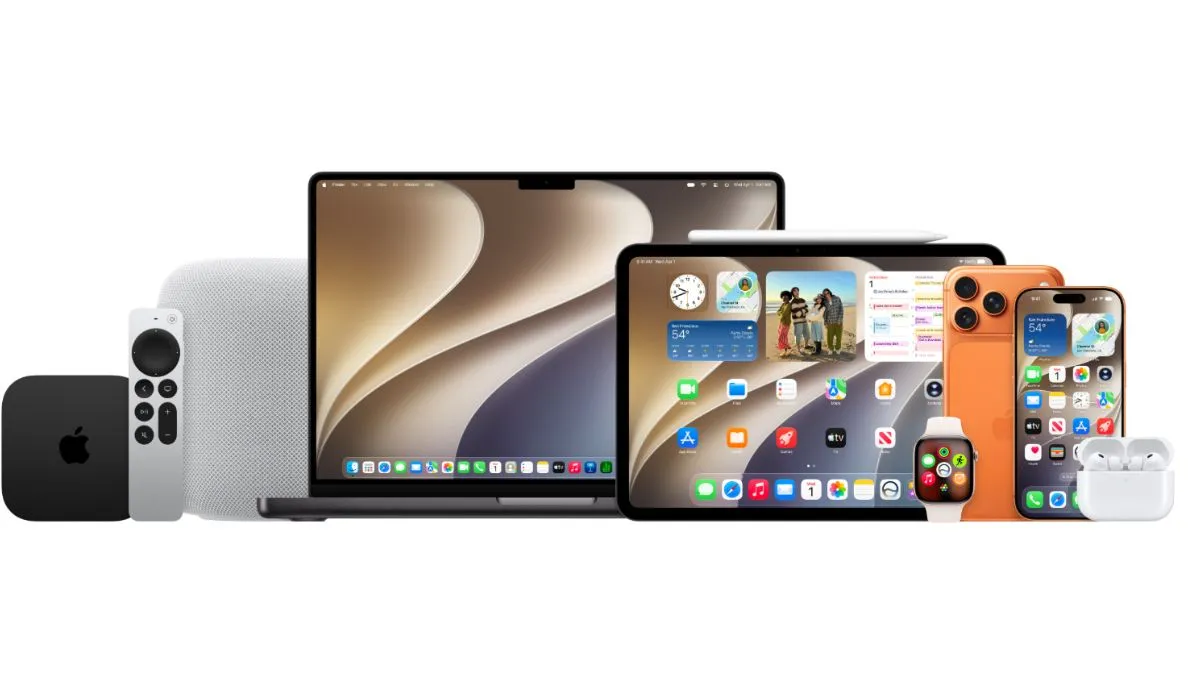
The public beta is available for iOS 27, iPadOS 27, macOS 27 Golden Gate, watchOS 27, tvOS 27 and visionOS 27. These builds are based on the latest developer beta, while the final stable release is expected later this year.
Recommended For You
Siri Finally Feels More Like a Real Assistant
The biggest talking point is, without a doubt, the new Siri.
For years, Siri has struggled to keep up with rivals, often forgetting what you said moments earlier. Apple is finally addressing that. The new version can remember the context of your conversation, so you can ask follow up questions without repeating yourself every time.
It can also understand what's on your screen and help you find information across Mail, Messages, Photos, Notes and Calendar. Apple has also made Siri capable of handling multi step tasks inside supported apps, making it much more useful for everyday use.
Of course, there are a few catches.
The new Siri AI is currently limited to the iPhone 15 Pro and newer models. It only works in English for now and isn't available in the European Union. Even if you meet those requirements, you will still need to join a waitlist. Simply head to Settings > Apple Intelligence & Siri > Try New Siri and wait for Apple to enable access. Some users are getting it within hours, while others may have to wait longer.
iOS 27 Has Plenty to Offer Even Without AI
Siri may be grabbing the headlines, but iOS 27 isn't just about artificial intelligence.
Apple says apps now open faster, AirDrop transfers take less time and photos appear in your library much more quickly after you capture them. The update also improves Wi Fi switching, so your iPhone should move away from weak networks more smoothly instead of stubbornly hanging on to them.
One feature many users will appreciate is the new Liquid Glass control. If you weren't a fan of the transparent interface, Apple now lets you adjust the effect with a simple slider in the settings.
There are plenty of smaller improvements too. Safari can automatically organise tabs, the Photos app gets new editing tools, the Passwords app can replace weak passwords, and AirPods finally gain a custom equaliser.
The Other Apple Devices Get Their Share Too
macOS 27 Golden Gate also puts the spotlight on Siri. The assistant can understand what's on your Mac's screen and help with writing, searches and other everyday tasks. Apple has also refreshed the interface with cleaner toolbars, updated sidebars and a tidier menu bar.
On the Apple Watch, Siri becomes more useful on the wrist with watchOS 27. There's also a new Dynamic App Grid that surfaces apps based on your routine, while Workout Buddy can now work even without an iPhone nearby.
iPadOS 27 brings most of the iPhone features and adds a couple of extras. Apple Pencil users can circle anything on the screen to use Visual Intelligence, while external SSD transfers are now significantly faster.
ALSO READ: BSNL Cheap Recharge Plan: Get 20 Days Validity With 3GB Data And 200 Minutes Calling, Check Price
Should You Install It?
If you've been waiting to try Apple's new Siri AI, this is your chance. Just keep in mind that public beta software is still unfinished. If your iPhone is your primary work device, waiting for the stable release is probably the safer option. But if you don't mind the occasional bug, the public beta offers an early look at Apple's biggest software update of the year.