
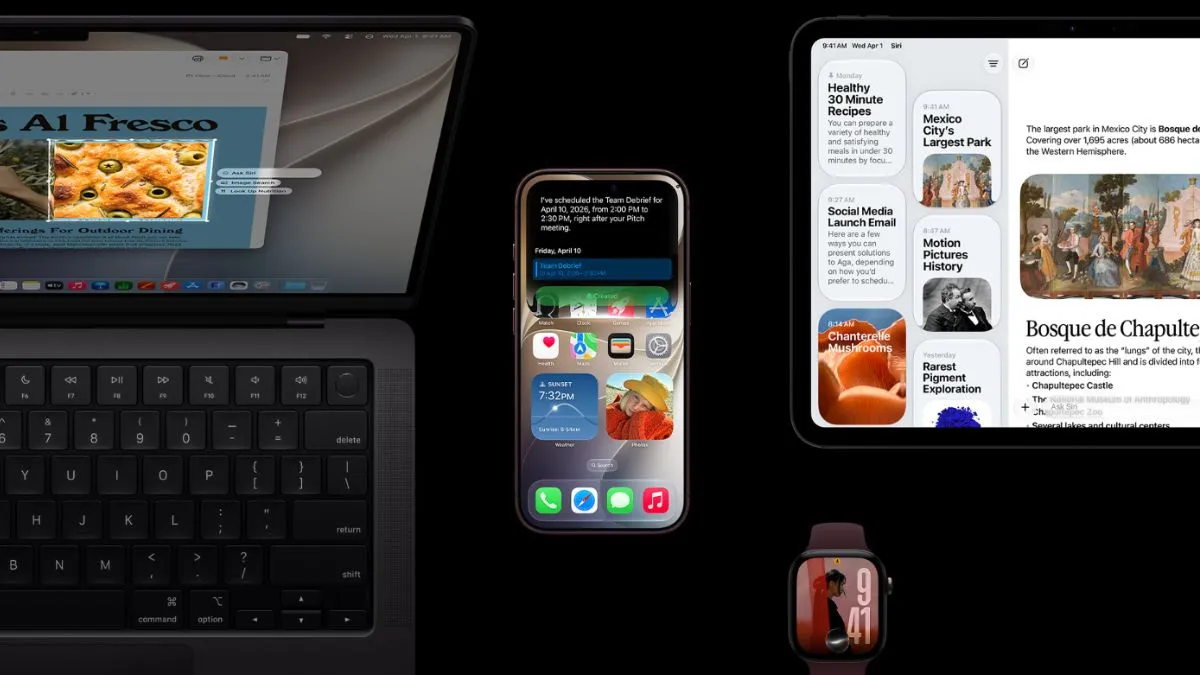
Apple is rolling out iOS 27 today, September 14, bringing its latest iPhone software to compatible models in India and other markets. The update was first shown at WWDC 2026 and has since gone through multiple developer and public beta releases.
Apple also confirmed that its newest phones, including the iPhone 18 Pro, iPhone 18 Pro Max and iPhone Duo, will come with iOS 27 already installed. The company made the announcement during its ‘September and shine’ event last week.
ALSO READ: iPhone 18 Pro Vs iPhone 17 Pro: Is A ₹30,000 Price Bump Worth It To Buy Apple's Latest Smartphone?
There is quite a bit packed into the new update. Siri is getting a major AI-focused overhaul, Liquid Glass is becoming more customisable, Visual Intelligence is being expanded and Apple is adding several new controls for parents. Here is everything you need to know about the iOS 27 release, including its expected India timing, installation process and supported iPhone models.
iOS 27 Release Time In India
Apple has confirmed September 14 as the global release date for iOS 27, including India. The company, however, has not given an exact time for the rollout.
Based on the timing followed for previous major iOS releases, iOS 27 is expected to start rolling out at around 10am PT. In India, that translates to roughly 10:30pm IST.
Once Apple begins the rollout, the update will appear as an OTA update on eligible iPhones. It is worth keeping in mind that the update may not show up on every device at exactly the same time. There can be some variation depending on the device and region.
Recommended For You
Before installing iOS 27, users should back up important data and make sure the iPhone has enough battery. Keeping it connected to a charger during the update is also a good idea.
How To Download And Install iOS 27
There is nothing complicated about installing iOS 27 once it becomes available. Just head to the Software Update section on the iPhone.
1. Open Settings.
2. Tap General.
3. Select Software Update.
4. Wait while the iPhone checks for the latest update.
5. Tap Download and Install when iOS 27 appears.
6. Follow the instructions on the screen and let the iPhone restart to complete the installation.
If iOS 27 does not appear immediately, there is no need to worry. Apple is rolling it out gradually, so it may take some time before the update reaches a particular iPhone.
iOS 27 Compatible iPhones
Apple is keeping a fairly wide range of iPhones eligible for iOS 27. The update supports the iPhone 11 series and newer models, along with the second- and third-generation iPhone SE.
The newly launched iPhone 18 Pro, iPhone 18 Pro Max and iPhone Duo will ship with iOS 27, so owners of these models will not have to install the update separately.
Here is the complete list of compatible models:
* iPhone 18 Series
* iPhone Duo
* iPhone 17 Series
* iPhone 16 Series
* iPhone 15 Series
* iPhone 14 Series
* iPhone 13 Series
* iPhone 12 Series
* iPhone 11 Series
* iPhone SE (3rd generation, 2022)
* iPhone SE (2nd generation, 2020)
iOS 27 Features
The biggest talking point around iOS 27 is arguably Siri. Apple has given its voice assistant a much bigger AI role and introduced a dedicated Siri app where users can start conversations and go back to previous interactions.
Apple claims the new Siri combines its own Foundation Models with Google's Gemini models. It also gets personal context capabilities, which means Siri can use information from supported apps and carry out actions across them.
Visual Intelligence is getting an upgrade too. With the new version of iOS, users can use the iPhone's camera to analyse objects and scenes, ask Siri about what is in front of the camera and get suggestions for relevant actions. The feature can also understand content displayed on the iPhone's screen.
Liquid Glass, which Apple introduced with iOS 26, is getting some additional customisation in iOS 27. Users will be able to adjust the intensity of the transparent interface elements instead of having to stick with a single look.
Apple is also adding more Apple Intelligence features to apps including Photos, Safari, Wallet and Shortcuts.
Parental controls have received plenty of attention as well. iOS 27 adds options such as Ask to Buy, Ask to Browse, contact approvals, Time Allowances and schedules, giving parents more control over how children use their iPhones.
There are several smaller changes across Apple's apps too. The Phone app has been redesigned, while Messages and Mail get contextual suggestions. Safari can also organise tabs by topics, which should make it easier to manage multiple open tabs.
For most iPhone users, however, the biggest changes in iOS 27 are likely to be the new Siri experience, expanded Visual Intelligence and the additional control over the Liquid Glass interface.