So I tested the latest Lenovo Legion Pro 5 laptop, and this is a serious machine that can take on multiple tasks from gaming to daily functioning, the device is made tough to handle all your workloads. So let's get into it and take a detailed look at how the machine performs and what it is made of.
Form Factor, Body And Design
From initial looks and design, this laptop looks like a solid machine. I received the eclipse black version of the device, and it looks quite stunning. It has a slight matte-style finish that complements the overall look and feel of the laptop. On the back of the screen you can find the Legion branding in a glossy finish. Apart from that, the body feels very sturdy, and the build quality is very good; it feels like a premium product from every inch. Behind you, you can spot a heat dissipation vent, and it looks quite decent and gives an extra edge to its overall look.
ALSO READ: Amazon Great Freedom Sale 2026 Announced: Sale Dates, HDFC Discount And Offers Revealed
Its placement at the back is also convenient for better heat dissipation. Some vents are there at the bottom, but the major task is handled by the ones at the back that are not blocked. So overall the laptop looks like a stunning machine with an RGB-lit keyboard enhancing its overall look and feel. Its power button is in the middle this time on the top and changes colour according to the mode you are using the laptop in, so it becomes red when it's on.
The 16-inch WQXGA 2K display is really an outstanding display; it's big and takes good care of your gaming needs. The audio is given by HARMAN, and it has good sound quality, although the speakers are downward firing, so one can expect the sound to get a bit muffled, especially if it's not kept on a hard surface. The device has 3 USB-A ports and 2 C-Type ports, one HDMI, and an Ethernet dock with an audio jack as well. All in all, the Legion Pro 5 looks like a real premium product with a stunning body and design philosophy.
Benchmark Tests And How Lenovo Legion 5 Pro Performed
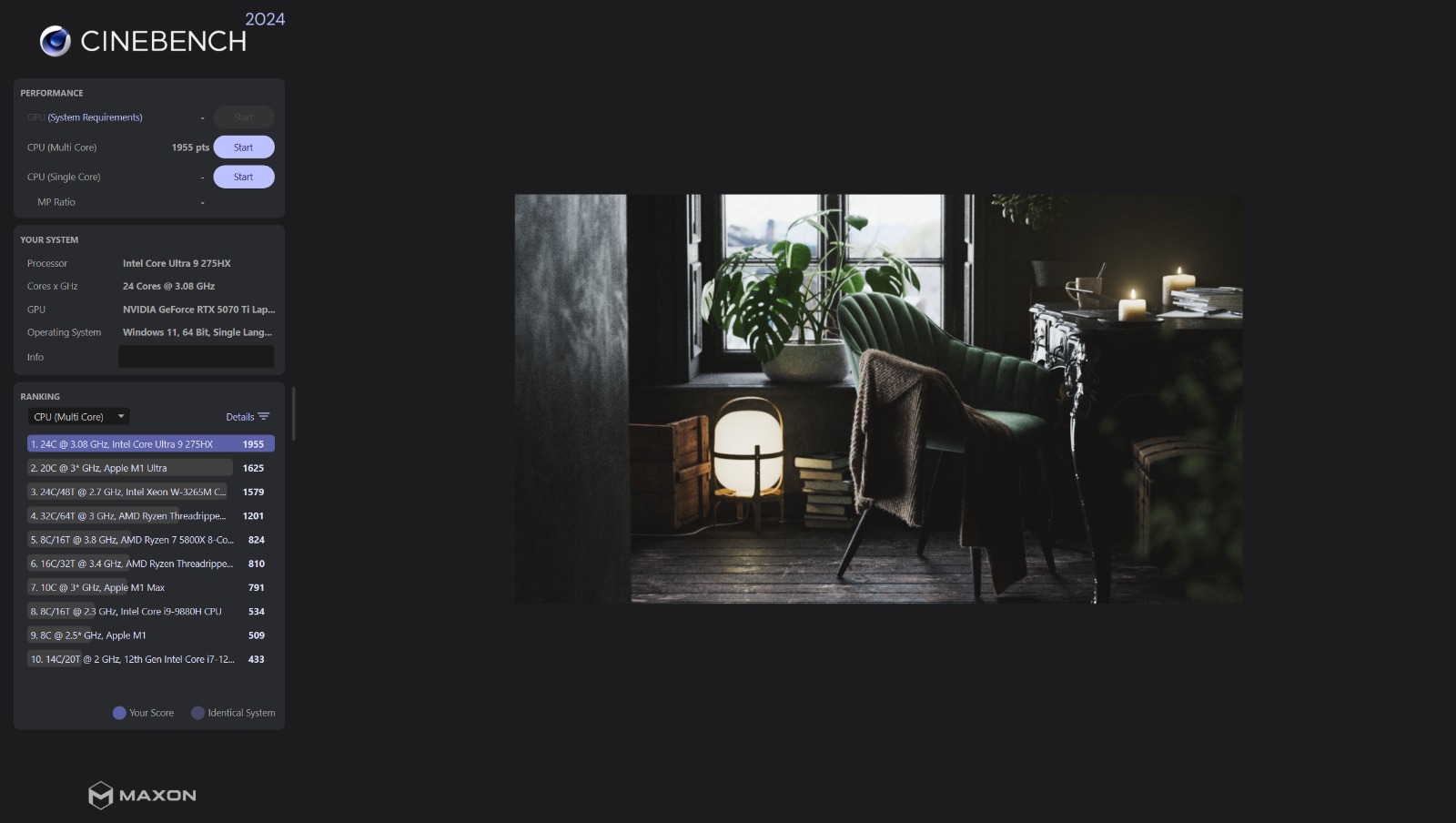
I tested the benchmarks on Cinebench 2024 to get a round-up of its CPU performance in the machine, and I have attached images of the results that came in below. The single-core performance was really good, with the chip beating even Apple's M1 Max, which had a score of 113, as opposed to the Intel Core Ultra 9 275HX, which is installed in the machine, with a score of 129; according to the benchmarking app, there was no chip above this. But if we look at the latest test results available through online sources, the single-core M4 Max beats this processor, which has 187 points, but it is still above AMD's Ryzen AI Max+ 395, so it's a solid deal.

When it comes to multicore performance, similar results were echoed, and the system chip came out on top with 1955 points as opposed to any other chip, including the M1 Max, which stood at 1625 points, which, in my opinion, is a massive lead. But again, when it comes to Apple's M4 Max, it beats the processor but not by much, which has 2,044 points and is still ahead of AMD's Ryzen AI Max+ 395 which has a score of 1,855.
When I tested the graphics, I used the Heaven Unigine benchmark, and here as well, the laptop breezed through easily with great numbers, with its max FPS posting at 385, which is very good, and minimum at 11 FPS, and this was all tested on 2K ultra settings.

Hardware Specs
Here the Lenovo Legion Pro 5 comes loaded with specs. To begin with, the laptop has an Intel Core Ultra 9 275HX, which has 24 cores and 24 logical processors. When it comes to physical memory, the laptop is loaded with 32 GB of RAM. Now let's talk about the real deal inside, which is its graphics card, and this machine comes with Nvidia's GeForce RTX 5070 Ti laptop GPU, which, in my opinion, is a beast and can easily tackle anything when it comes to gaming and video processing and aids well with its 2K display. Audio and screen type I have already discussed above. Apart from that, this machine comes with a 1 TB SSD and has the Windows 11 suite installed in it. It also has a 4-cell battery with a 300W power adapter for when things get tight.
Gaming, The Real Test
So here's where I tested the laptop thoroughly, as it is a gaming device and I tested on it one of the most demanding games out there, which is also a Rockstar Games title, Red Dead Redemption 2. I tested the game on all three levels, performance, balanced, and quality, and the results were interesting. Let's talk about performance first. When it comes to visuals with fewer particles and night scenes, the frames are absolutely phenomenal. I was getting 120+ FPS in closed rooms and 100+ FPS in open ground easily. But in daylight scenes, the performance dropped to somewhere around 70-80 FPS, although I do have to mention that RDR2 is a highly graphics-intensive game and even looks good in low graphics, and with this setting itself, the game still looks beautiful and has great performance overall. I don't have any complaints regarding that.
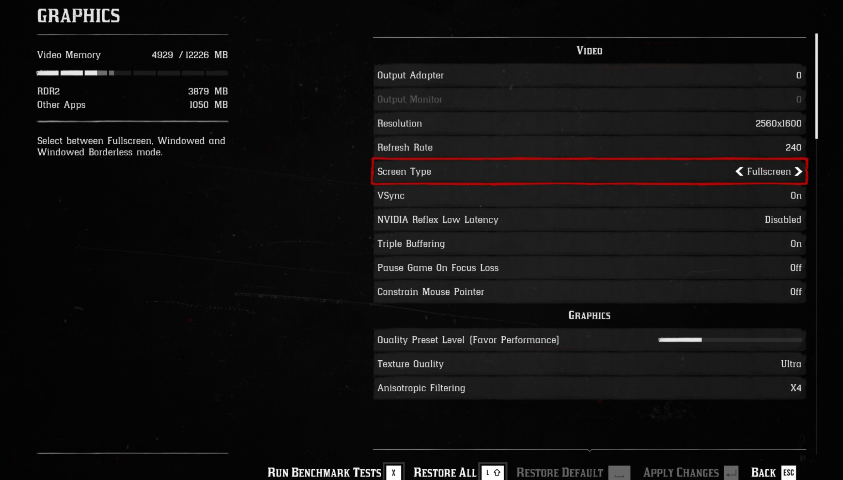
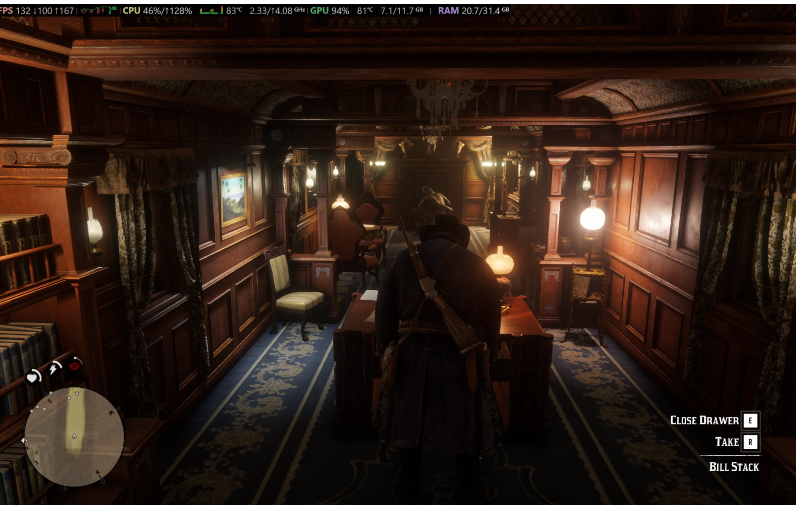
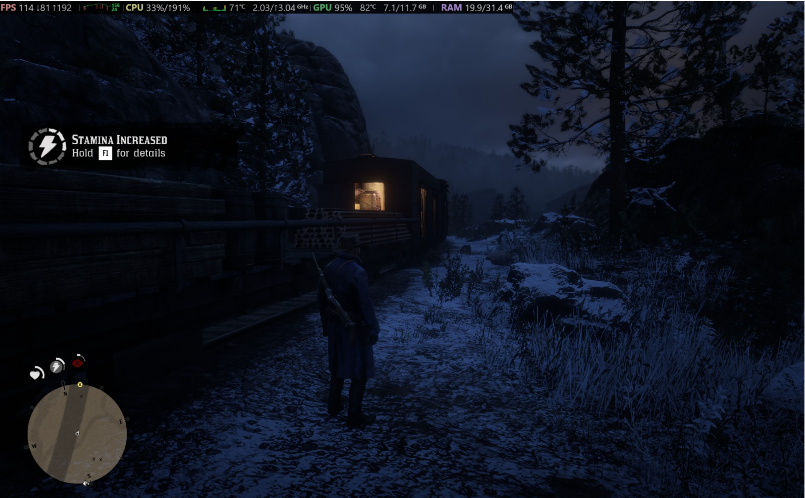
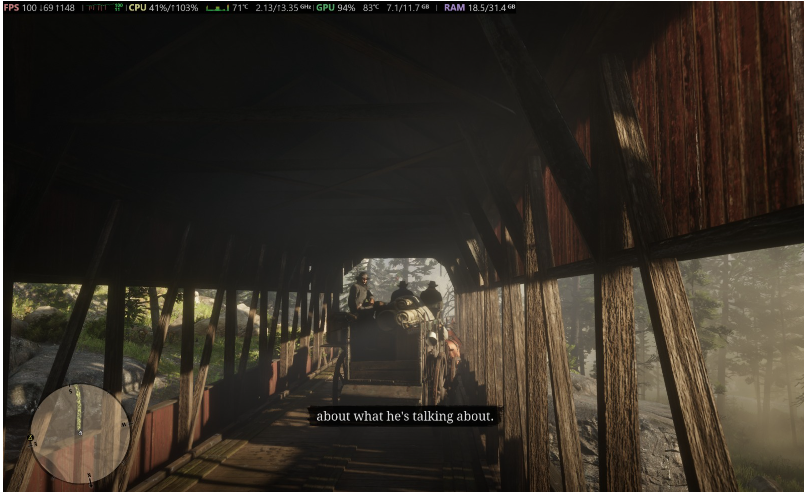
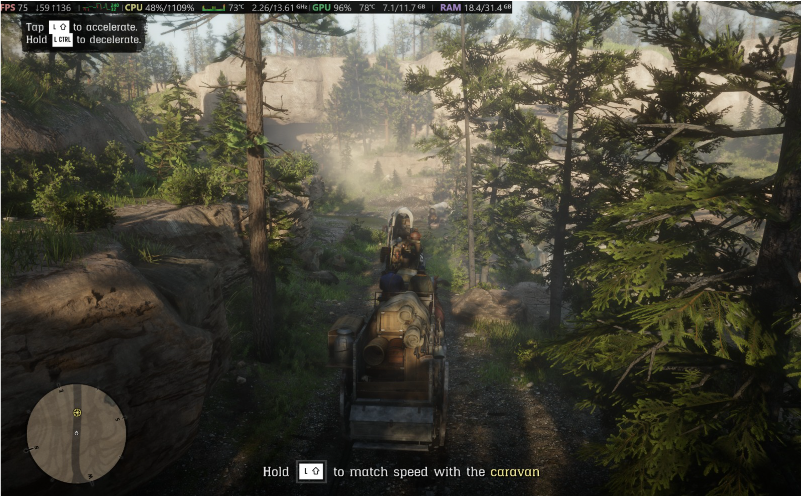
On balanced preset, obviously the frame dropped even more, and I was getting somewhere around 65-75 FPS constantly in daylight times and open areas, which is pretty good for playing the game considering it is running in 2K. Also, when more particles and objects come into play, the FPS drops to somewhere around 50-55, but it is still very much enjoyable and playable, and you won't be able to notice it unless you have the FPS counter enabled all the time.
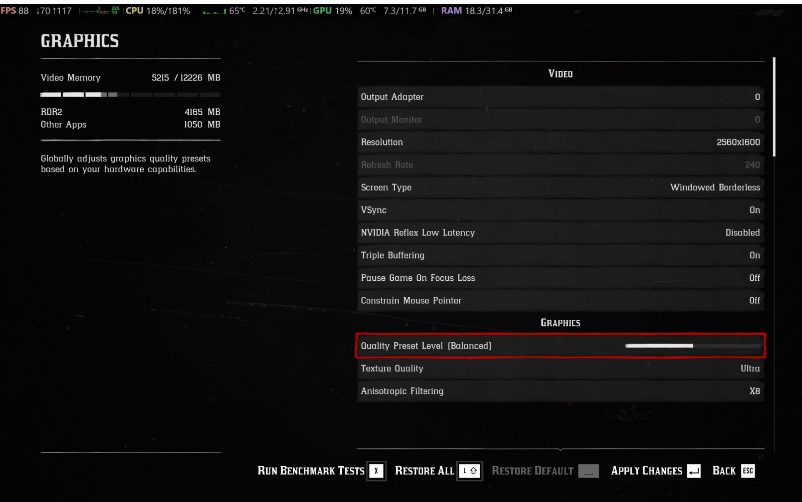

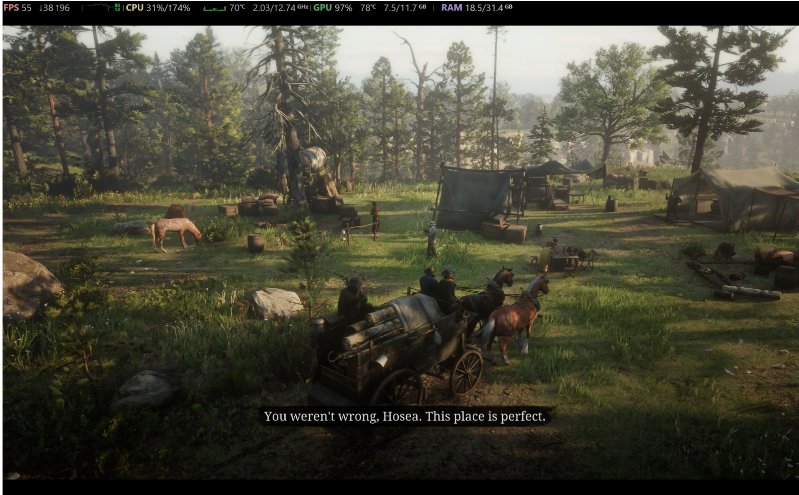

When we come to quality, the frame drop becomes quite evident, and it reaches somewhere around 45-50 FPS in areas with daylight and more objects and particles, and again, it still looks gorgeous, and the laptop handles it like a pro, and if you are a casual gamer or an extensive one, your gaming will not be affected at all, and it will glide through easily.



Multiplayer Experience
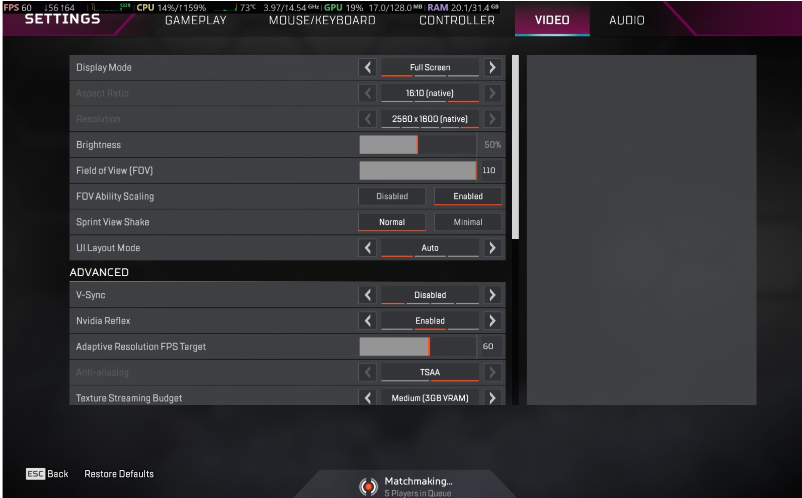
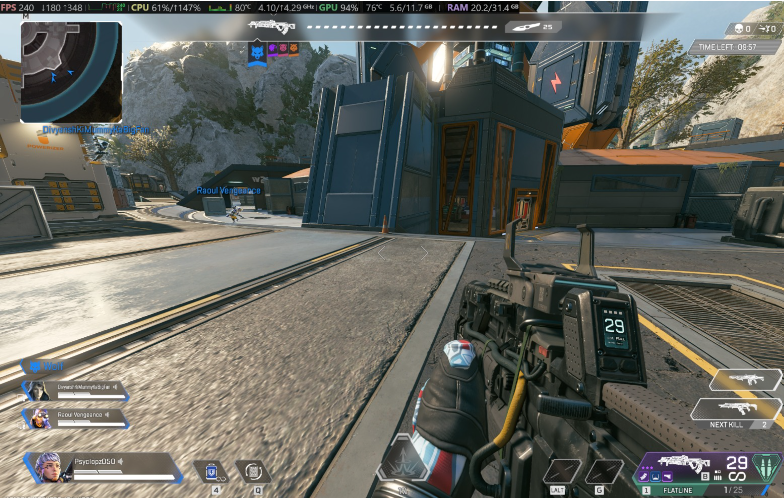
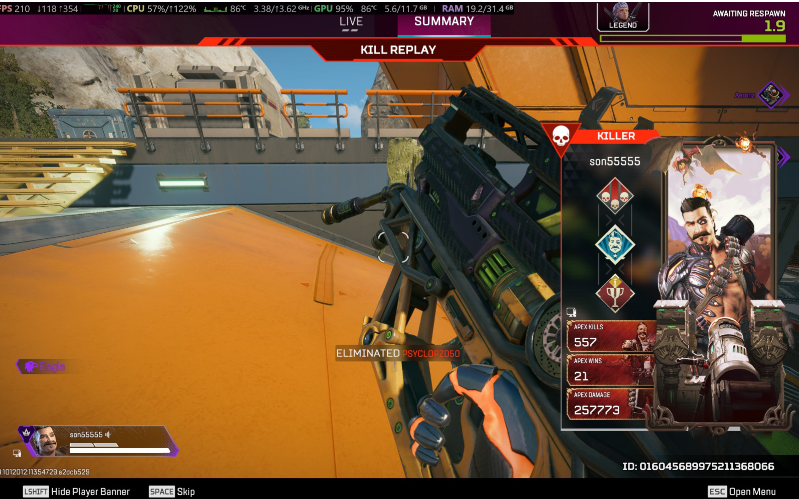
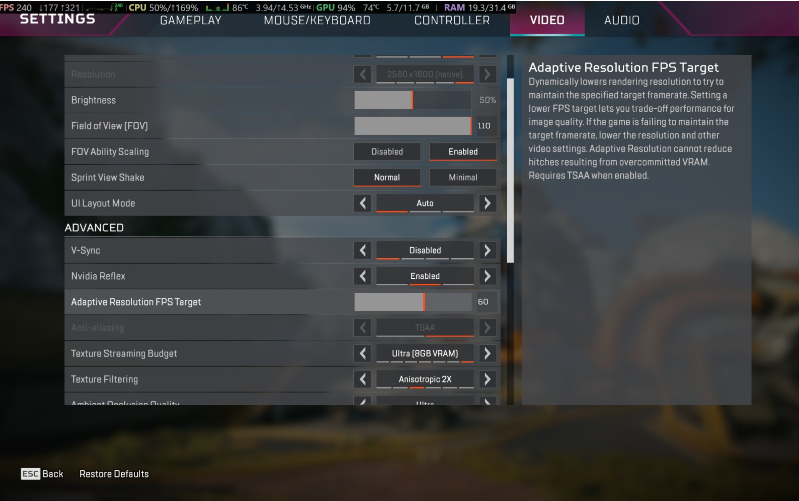
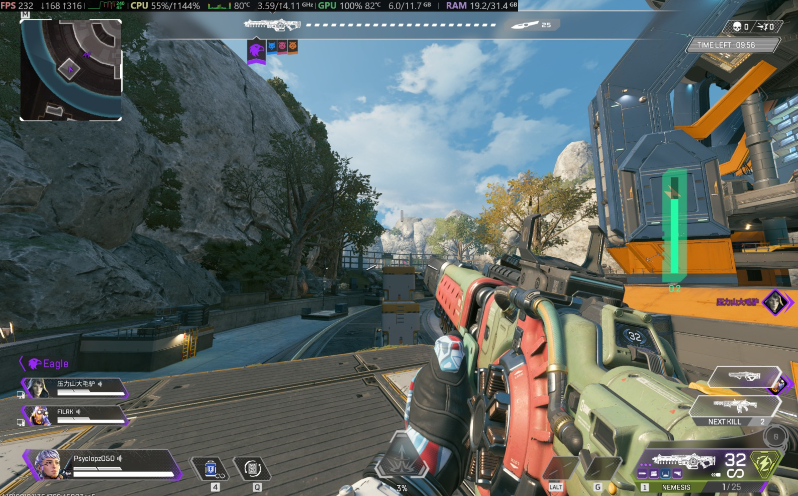
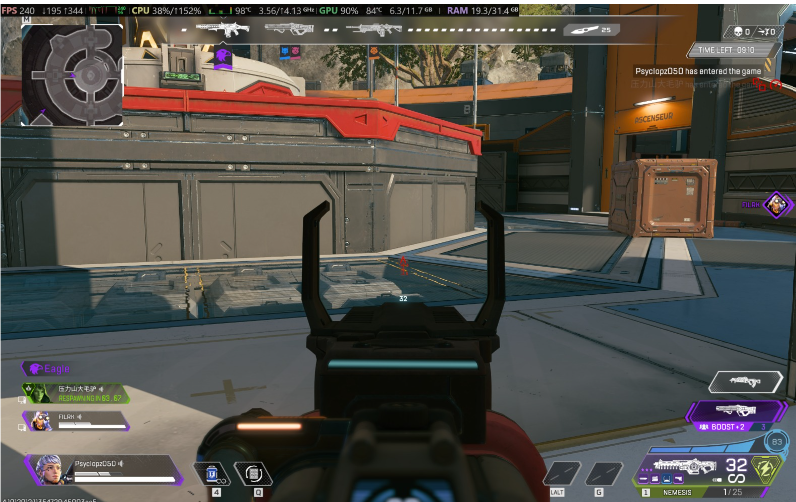
I also played a multiplayer title on it which is EA's Apex Legends. This is also a graphic-heavy game with a lot of particle effects, and here also the Lenovo Legion Pro 5 was able to handle it very easily. Even on ultra settings the frames never dropped below 200 FPS; the lowest I got was 207 FPS, which is a great thing, as this can easily handle your competitive streak. So if you are someone who likes to grind on multiplayer titles, this laptop will give you a top-tier experience with effortless performance even on the highest settings. I have attached images for the same so that you can get an idea of it.